Local Obituary Search
- 3.4
- Rating
- 10.00K
- Installs
- Free
- Price

 Analysis by App-foxy
When I need to look for a local obituary notice, I usually want something direct rather than a general news app filled with unrelated stories. Local Obituary Search is built around that narrow need, and that focus is both its main strength and its biggest limitation. I found it most useful as a starting point for checking whether a notice may have appeared in a local area, especially when I had only partial information and did not know which publication to search first.
My overall view is simple: this is a practical niche tool, not a complete memorial or family-history service. It belongs in the Events category, is free to use, and comes from Jey Apps. The app has reached over ten thousand installs, which suggests that it serves a recognizable need without pretending to be a universal search platform. Its average rating is 3.4 from roughly seventy ratings, so the public response is mixed rather than overwhelmingly enthusiastic.
How Local Obituary Search works in everyday use
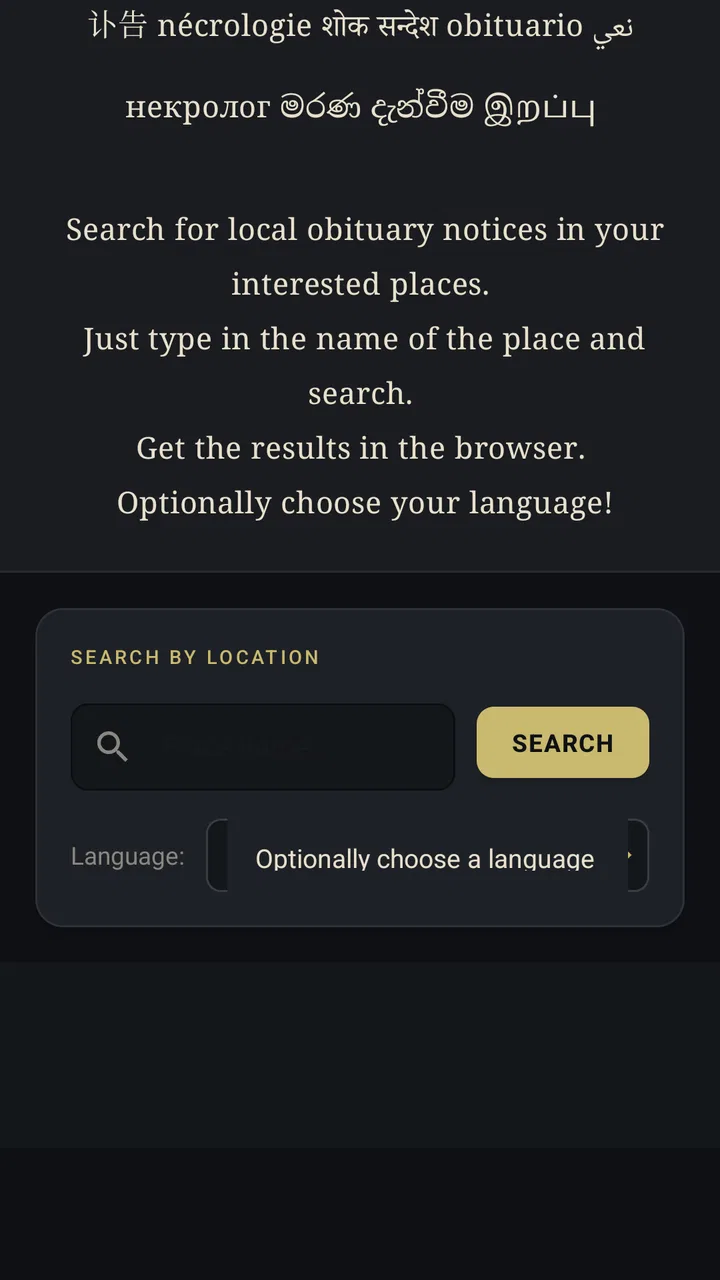
The app’s purpose is immediately understandable from its name. Instead of asking me to browse many unrelated pages, it gives me a focused place to begin searching for local obituary notices. That can be valuable during an emotional or time-sensitive situation, when opening several newspaper websites and trying different search terms becomes frustrating.
You May Also Like

 Blood Strike: 2.5 Anniversary
Blood Strike’s Loadouts Turn Every Drop Into a Tactical Gamble
A close look at Blood Strike’s custom loadouts: how fast access to signature weapons reshapes its battle royale rhythm, rewards preparation, and narrows the gap between fights.

 Pandora - Music & Podcasts
Pandora’s Music Is Easy to Start, but Harder to Recover
Pandora’s strength is its low-effort path from a seed to a station. Its weak spot is how much confidence it asks you to place in connection, setup, and quiet recovery.

 8 Ball Pool
 Is Built on Rivalries, Rematches, and Routine
A close look at the rivalries, rematches, shared routines, and unanswered safety questions that turn a quick pool match into a persistent mobile community.

 Samsung Music
’s Quiet Strength Is Playing What You Already Own
Its reach comes less from spectacle than from dependable access to a personal library. That simplicity is both the app’s strongest retention engine and its ceiling.

 AccuWeather: Weather Radar
AccuWeather Review: A Quick, Clear Forecast for Everyday Decisions
For everyday plans, the best forecast is the one you can understand quickly. AccuWeather makes rain timing, radar, and local conditions easy to act on, with a few trade-offs.

 Hill Climb Racing
Why Hill Climb Racing Still Turns Crashes Into One More Run
A tiny car, a bumpy hill and one more upgrade: Hill Climb Racing keeps resurfacing because its simple chaos makes every near-miss feel personal.
More From Our News Desk



I would use it when I know at least one useful detail: a town, a surname, a nearby community, or an approximate period. The most effective approach is to start with the detail least likely to produce noise. A common surname on its own may return too many possibilities, while a local place combined with the surname can make the search more manageable. If the first attempt is too narrow, I would remove one detail rather than changing everything at once.
That small search habit matters because obituary notices are often written in several forms. A person may be listed by a full legal name, a familiar name, or a name with a middle initial. A notice may also be associated with the town where the person lived, the town where the service is held, or the location of a funeral home. Treating the first search as a lead rather than a final answer makes the app more useful.
In a realistic situation, imagine that a former neighbor tells me someone from my old community has died, but I do not know the funeral home or the exact date. I could begin with the surname and local area, review the likely results, then try a variation using the first name. If I find a matching notice, I would still check the details carefully before contacting relatives or sharing the information. The app can help me locate a possible notice, but the responsibility for identifying the right person remains with me.
A focused alternative to broad web searching
The usual alternative is a general search engine. That option can be more powerful, especially when I need to search a particular newspaper, funeral-home page, cemetery record, or social network. However, broad search results often mix current notices with old pages, unrelated people, advertisements, and results from distant locations. A dedicated local obituary search gives the task a clearer starting point.
There is also a difference in mindset. A general search engine expects me to know how to phrase the query and which websites deserve attention. This app is more suitable when I want a straightforward first pass. It reduces the amount of unrelated browsing, although it should not be treated as a guarantee that every local notice will appear.
For genealogy research, I would combine it with other sources rather than rely on it alone. Public records, cemetery databases, newspaper archives, and funeral-home listings can each contain information that a local obituary search may not surface. The app is better at helping me investigate a current or recent lead than at replacing a complete archival workflow.
Where the focused design helps most
The strongest part of the experience is the narrow purpose. I do not have to enter a general news environment or sort through unrelated event listings. When the task is specifically finding an obituary notice, a focused app can feel calmer and more efficient than a large service designed for everything.
It is also useful for people who are not confident with advanced search techniques. Someone who rarely uses search operators or does not know which local publications serve a particular area may prefer a dedicated tool. The app gives that person a more approachable first step, especially when the goal is simply to see whether a notice can be found.
Another practical strength is that it can support several kinds of local checking. I might be confirming the name of a person mentioned in a community message, looking for information about a former colleague, or trying to locate a notice before attending a service. These situations are different, but they share the same need for a location-aware search rather than a broad internet hunt.
I also appreciate the value of a lightweight purpose during sensitive moments. An obituary search is not entertainment, and a cluttered interface would feel especially inappropriate. The app’s identity is clear enough that I can open it with one task in mind and leave once I have gathered the lead I need.
Three search habits that make the app more useful
First, I would search in stages. Start with the person’s name and the most likely locality. If that gives no useful result, try the neighboring town or the place connected with the funeral service. Local boundaries are not always the same as the area people use in everyday conversation, so a single town name can be too restrictive.
Second, I would test name variations deliberately. Try the full name, then a first name with the surname, and then a version without a middle name or initial. This is more reliable than repeatedly pressing search with the same wording. A notice may use a format that differs from the one I was given by a friend or relative.
Third, I would record the source details as soon as I find a promising result. Write down the person’s age, relatives, location, and service information before moving on. This prevents confusion when several people have similar names. It also creates a useful checklist for verifying the notice through another source.
These are not flashy features, but they are the habits that determine whether a focused search tool saves time. The app can provide the doorway; careful searching and verification determine whether I walk through the correct one.
The important limitation: local coverage is never the whole picture
The main weakness is the same narrowness that makes the app appealing. A local obituary search may not be enough when a notice is published outside the expected area, placed on a private funeral-home page, delayed online, or recorded under a different location. If I search only once and assume that no result means no notice exists, I could reach the wrong conclusion.
This matters most when the information is urgent. Families may announce arrangements through direct messages, community groups, or a funeral home before a public notice becomes easy to find. Some notices may also be short, archived quickly, or indexed in a way that makes them difficult to discover through a single route. I would use the app as an initial check, not as definitive proof.
Search friction can also appear when I have very little information. A first name alone is rarely enough, and a common surname can create uncertainty. In that situation, the app cannot replace a conversation with someone who knows the family or a direct check with a relevant local source. The more incomplete the starting information, the more carefully I would interpret the results.
The mixed average rating of 3.4 reflects why expectations should stay realistic. This is not the kind of app I would recommend for people who want a rich archive, detailed biographies, memorial pages, or a broad family-history research system. Its value depends on the specific search need and on whether the relevant local notice can be found through its approach.
Privacy and sensitivity when using a notice-search app
Obituary information concerns real people and grieving families, so I would use the app with restraint. Finding a notice does not automatically make every detail appropriate to repost. I would avoid copying personal information into public conversations unless the family has already shared it openly or there is a clear reason to do so.
I would also double-check names before acting on a result. A matching surname and town are not enough, particularly in smaller communities where several families may share the same name. Comparing relatives, age, location, and service details is a sensible safeguard. If the information will affect travel plans or a personal message, I would confirm it through a second source whenever possible.
This careful approach is especially important for people using the app for genealogy. An obituary can be a helpful clue, but clues should not automatically become established family facts. I would treat the result as a starting record, then compare it with other documents and accounts before adding it to a family tree.
Who should install it, and who should choose something else?
I think Local Obituary Search is best for someone who occasionally needs a simple local lookup and does not want to learn a complicated research system. It may suit relatives, neighbors, community volunteers, and amateur researchers who have a name and an area but no clear idea where to begin.
It can also be useful for people who prefer a dedicated tool over a general browser search. The free price makes it easy to try without committing to a subscription, and the Everyone content rating makes it broadly accessible. The app supports Android devices running version 7.0 or later, so compatibility should be considered before installing it on an older phone.
I would skip it if my main goal were long-term genealogy research. In that case, a service built around historical archives, document organization, cemetery records, or family trees would be a better fit. I would also look elsewhere if I needed to search many types of public records at once or if I already know the exact newspaper or funeral-home website that contains the notice.
It is less suitable for someone expecting a definitive national directory. The word “local” is important here. The app makes sense when I want a focused regional starting point, but a broader search engine or a publication’s own archive may be stronger when the location is uncertain or the person has moved between communities.
Version, accessibility, and practical expectations
The current version is 12, and the app was released on October 7, 2020. Those details place it in the category of an established, narrowly focused utility rather than a brand-new service. I would install it with a clear task in mind and judge it by whether it helps me reach a relevant notice quickly, not by expecting the depth of a large research platform.
Because it is free, the decision to try it is relatively easy. Still, free does not mean that it removes the need for judgment. I would keep another search method available, particularly if the matter involves a recent death, a time-sensitive service, or a person whose connection to the local area is unclear.
The app’s modest user base also suggests a practical way to approach it: test it against a search where I already know some of the answer. That lets me see whether its results are useful for my locality before depending on it for an unfamiliar case. This is a better test than assuming that a successful search in one town will work identically everywhere.
My final recommendation
After using it as a focused lookup tool, I see Local Obituary Search as a helpful first stop for local notice searches, provided I understand what it is and what it is not. Its clear purpose, free access, and approachable idea make it easier to begin than a completely open web search. For a person trying to locate a notice connected to a particular community, that simplicity can be genuinely useful.
At the same time, I would not make it my only source. Search variations, neighboring locations, newspaper archives, funeral-home pages, and direct confirmation can all matter. The app works best when I use it to generate a lead, compare the details, and then verify the result with care.
My recommendation is therefore specific: install it if you want a simple Android tool for occasional local obituary searches and are comfortable checking important information elsewhere. Choose a broader archive or general search service if you need deep historical research, comprehensive coverage, or a full memorial record. For the right situation, this small app does one sensitive job in a reasonably clear way, but its usefulness depends on treating it as a starting point rather than the final authority.
FAQs for Local Obituary Search
01What is Local Obituary Search, and what can I use it for?
Local Obituary Search is designed to help you find obituary notices, memorial announcements, funeral details, and information about people who have recently passed away. It can be useful when searching for a friend, relative, former colleague, or community member. Depending on the available sources, results may include names, dates, locations, service information, condolences, photographs, and links to the original notice.
02How do I search for a person using Local Obituary Search?
After opening the app, enter the person’s first and last name in the search fields, then add details such as a city, state, age, or approximate date of death if available. Adding location information usually makes the results more accurate, especially for common names. Review the matching notices carefully, because search results can include people with similar names from different families or regions.
03Does Local Obituary Search include every obituary published in my area?
No search service can guarantee complete coverage of every obituary. Local Obituary Search may rely on publicly available notices from funeral homes, newspapers, memorial websites, or other indexed sources. Some obituaries may be private, unpublished online, recently posted, removed, or unavailable in the app’s database. If you cannot find a notice, try different spellings, nearby locations, or the funeral home’s website.
04Is Local Obituary Search free to download and use?
The availability of free features, premium tools, advertisements, or subscription options may depend on the app version and your device’s app store. Basic searches may be available without payment, while advanced filters, expanded records, saved searches, or ad-free access could require a purchase. Before confirming any subscription, check the pricing, renewal terms, and cancellation instructions shown in the store listing.
05What privacy and safety considerations should I know before using the app?
Obituary information is often publicly available, but it can still contain sensitive personal details about families, locations, funeral services, and memorial arrangements. Avoid sharing private information unnecessarily, and verify important details through an official funeral home, newspaper, or family source. Also review the app’s privacy policy to understand what search terms, device data, or account information may be collected and how it is used.
Pros
- Searches obituary listings from multiple local sources in one place.
- Simple interface makes finding recent notices quick and straightforward.
- Useful for locating funeral details
- memorial services
- and visitation times.
- Can help reconnect users with notices from unfamiliar local publications.
- Lightweight app that is generally easy to navigate on mobile devices.
Cons
- Coverage may vary widely depending on your location and available sources.
- Some obituary listings may appear with delays after publication.
- Search results can include duplicate or outdated notices.
- Personal details in obituaries may raise privacy concerns for some users.
- The app may rely on an internet connection for current search results.

Local Obituary Search
Gallery